
Introdução
It is always a challenge and not least a painful one, especialmente se for frágil, like glass or china. Por isso, although such materials look very attractive, they are rather sensitive, so one has to be even more careful during the marking procedure. É aqui que UV marking machines come into the picture. They have better laser technology to etch intricate designs, Logos, or texts into that surface without damaging it in any way.
UV marking is different from conventional processes as it works with a “cold laser” process that does not involve heat, which can cause cracks and damage sensitive material. It is also one of the reasons why this is mostly preferred by industries that involve the use of engraving to a high level of detail.
There are countless applications that a UV marking machine can use, from making custom awards in crystal to branding porcelain tiles. Mais importante ainda, they are environmentally friendly, which is a good thing for companies that are keen to lower their carbon footprint.
In this guide, you will learn What UV marking machines are, How they work, Where They are Used, and How to get the Best Results. Vamos mergulhar!

Understanding UV Marking Machines
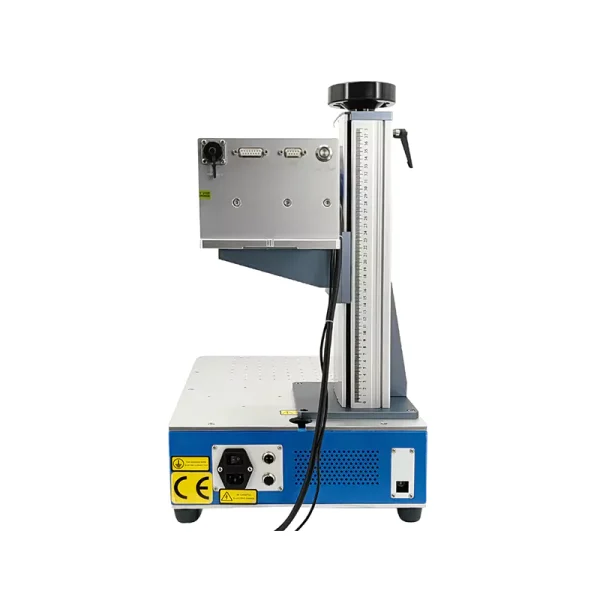
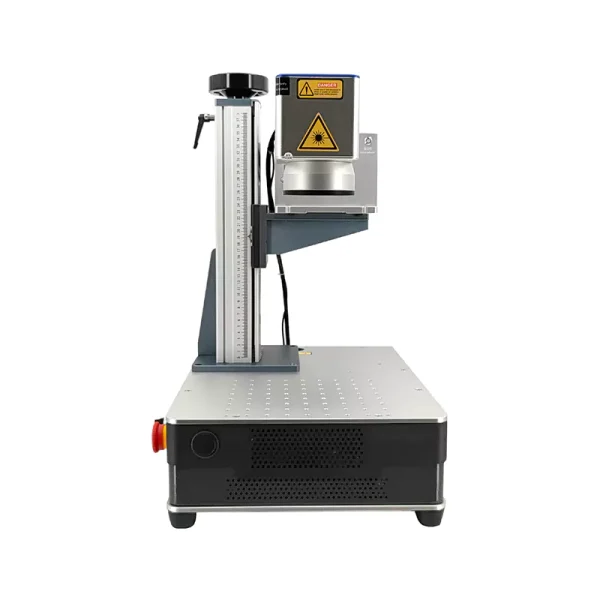
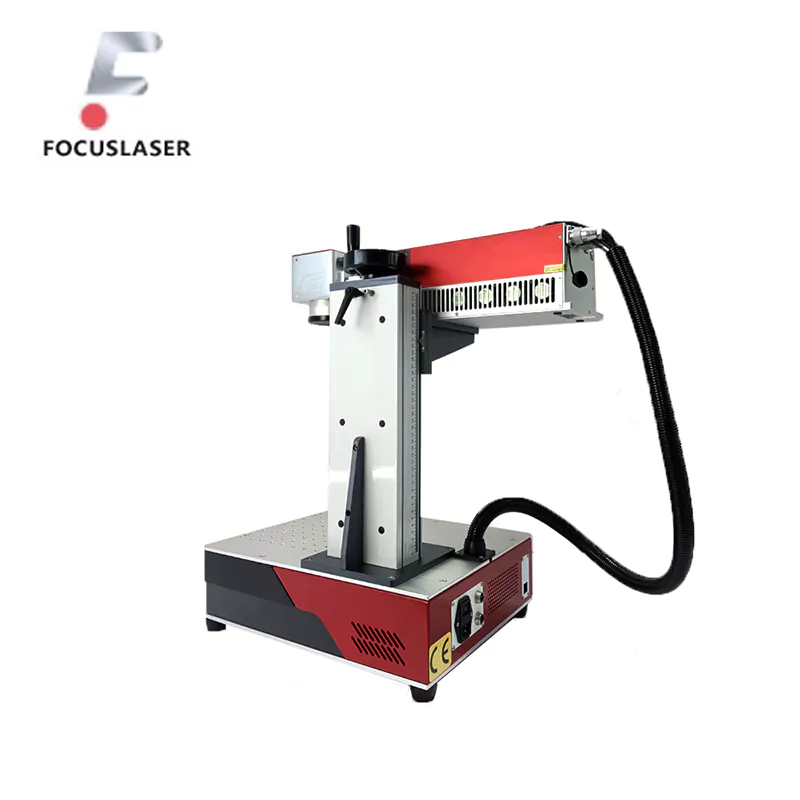
The most recent marking equipment that uses a Laser UV to engrave or mark surfaces is ultraviolet marking machines. The reason why they are so special is that they have the possibility to create very thin, very detailed rolls into the material without harming it.
This they do by employing a cold-mark process. UV lasers are cooler, with a wavelength of about 355 nanometers, and they do not heat the material they treat. This means that surfaces that are fragile materials such as crystal, vidro, and porcelain are ideal.
What Are UV Marking Machines?
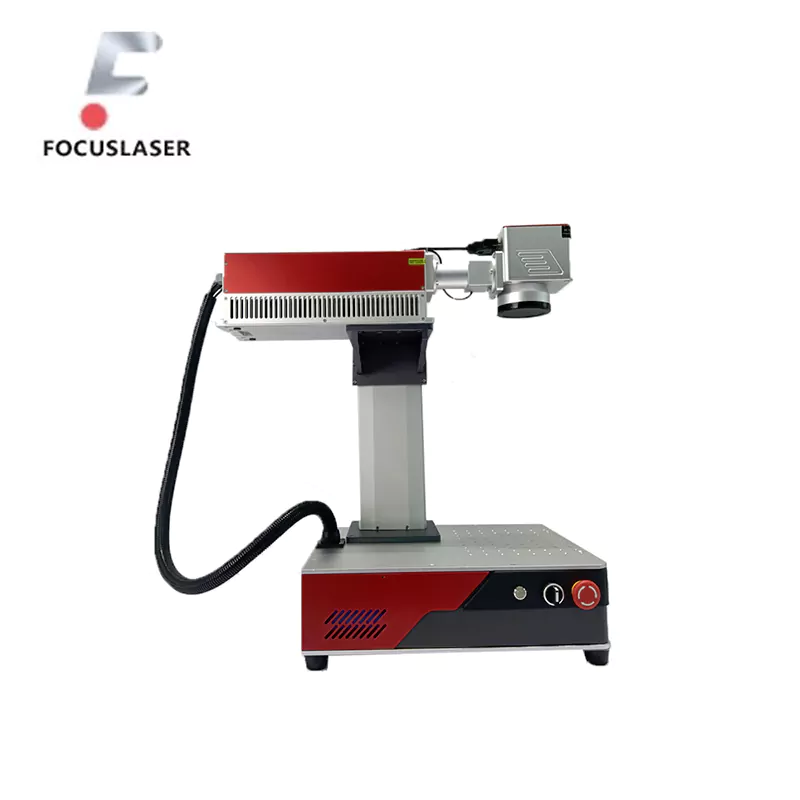
The UV marking machine employs laser light to mark a surface. It can be a company emblem on a glass bottle or a design on porcelain plates, as an example. A laser is a powerful laser that is capable of putting very fine and detailed engravings. It is the reason why these machines are used in areas such as jewellery, ferramentas médicas, and high-precision manufacturing.
Key Features of UV Marking Machines
- Cold Processing: In contrast with conventional lasers, UV lasers do not cause material overheating. Mais importante ainda, this is important where materials that are sensitive to heat and may easily crack or warp are involved.
- Alta Precisão: Such detail includes engraving, Lasers UV, Logos, códigos de barra, and other intricate patterns to be made on the surface.
- Versatile Material Use: UV marking machines are especially useful for the materials that are most easily scratched, but they can also be used on plastic, metal and wood.
- Eco-Friendly: Based on Disclaimer, these machines do not produce pollutants that may affect your environment, and they do not use chemicals.
How Do UV Marking Machines Work?
In a UV marking machine, the laser directs UV rays on the surface of the material. This light acts on the material’s molecules and causes markings on the surface, yet does not harm the material. The UV laser’s short wavelength allows it to make very elaborate engravings. The design can be easily modified under the supervision of some computer programs.
Portanto, UV marking machines are very powerful machines that incorporate aspects of accuracy, flexibilidade, e segurança. They can be done on crystal, vidro, and porcelain, and this makes this art form ideal for industries where you may need to engrave a piece of detail permanently.
Applications of UV Marking Machines
Porque cutting-edge UV marking machines are very versatile, they can be used for many applications, such as the marking of liquids, surfaces, and materials. They can now make detailed, permanent marks on delicate materials like crystal, vidro, and porcelain, changes that have reshaped how the industries mark and engrave. We dive into each of its various applications.
Crystal Applications
Since the crystal is at times identified with excellence and luxury, any score on it should match up with its luxurious look. With engraving crystal awards, trophies and decorative pieces, this is the perfect engraver.
Por exemplo, UV lasers are used by many businesses to personalize awards, engraving the names or dates or logos. The laser doesn’t generate heat, meaning the crystal stays smooth and free of flaws. No entanto, these machines aren’t just about etching in one direction: They can also etch in three dimensions inside the crystal, such as printing a company logo or a decorative pattern without damaging the crystal’s surface.
Glass Applications
Glass is one of those everyday products we use every day, from drinkware to windows. Engraving Glass Precision and Durability with UV Marking Machines. Por exemplo:
- Branding: Some bottles will be glass, tumblers, or wine glasses upon which logos or text can be engraved.
- Industrial Use: UV lasers are used in the medical and pharmaceutical industry to mark glass containers with batch numbers or expiry dates.
- Decorative Designs: Items such as mirrors and tabletop can be adorned with custom patterns or artistic elements.
The cold marking process makes sure that the glass never cracks or warps when working on thin or breakable material.
Porcelain Applications
Porcelain is a very sensitive material used for fine dinnerware, decorative tiles and artistic ceramics. Incomparably, UV marking machines allow precise markings on these surfaces without causing chips or cracks.
Por exemplo, in the tile industry, UV lasers are used to make branded logos or custom designs for high-end projects. Personalization of porcelain dinnerware is often done via UV marking; restaurants and hotels, por exemplo, frequently imprint their branding onto their dinnerware. UV laser can provide precision that allows text or fine lines to be very clearly seen.
They also work great for anyone who works with fragile materials. These machines can handle precisely anything from personalizing a crystal award to marking cured glass for industrial use or marking a porcelain plate for decoration. This makes them a useful tool in many different industries.
Choosing the Right Application Scenario
If you use a UV marking machine, it’s important to know what you’re marking on and the use of the marking. Being able to choose the correct application scenario allows for the best results but also avoids unnecessary errors. Here’s what to consider:
Understanding the Material
The characteristics of each material—crystal, glass and porcelain— are different. Knowing the differences helps you set the machine properly in order to avoid damage.
- Crystal: Smooth and fragile but perfect for detailed markings. Cracks should be prevented by setting the laser intensity low.
- Vidro: Glass could be thicker or thinner, and there could be varying quality. Glass should be tempered or lambert glass; if not with extra care, it will be prone to stress cracking.
- Porcelain: It is delicate but strong enough for surface engravings. Yet, surfaces that are uneven will require readjustment of the laser’s focus.
Defining the Outcome
The laying out of the machine also depends upon the purpose of the marking.
- For decorative use: If you are designing something artistic, then focus on precision and lower power because you don’t want the designs to over-engrave.
- For industrial applications: If that marking is deep and permanent, you may need to set your power to a higher level.
Environmental Factors
The environment surrounding the engraving will affect the quality. Por exemplo:
- Dust-Free Workspace: The laser’s path can be interfered with by dust, and the results won’t be consistent.
- Humidity Control: Moisture can be excessive and impede the performance of the material as well as the machine.
Testing First
Always test the setup on a similar material before marking the final product. That means you can readjust the power, speed and focus settings on the laser without risking your valuable pieces.
Dito isso, choosing the right scenario boils down to material understanding, setting a goal, and adjusting for environmental variables. These steps will help you to have smooth and precise engraving every time with any custom crystal award, industrial glass label or porcelain design.
Step-by-Step Guide for Operating a UV Marking Machine
If you think that it’s hard to operate a UV marking machine, don’t; it’s simple and efficient with some steps. If you are going to mark crystal, glass or porcelain, this guide will show you what to do and what to avoid so that you get the results you want.
1. Setting Up the Machine
Then, start by putting the UV marking machine on a stable, clean surface in a well-ventilated workspace. During operation, it prevents vibrations or interference.
Calibration: Depending on the type of material you’re cutting, you’ll adjust the machine settings. Por exemplo, crystals may require a lower laser intensity, and thick glass may require a higher laser intensity.
Safety Check: Make sure all the safety shields are in place and that you have all the needed protective equipment — UV-blocking glasses, por exemplo.
2. Preparing the Material
The final engraving can be dependent on the quality of the surface of the material. Follow these preparation steps:
Clean the Surface: Dust, oil, fingerprints, or other spots can be removed with a lint-free cloth. If you have stubborn stains, use a gentle cleaning solution.
Secure the Material: Put the item where it sits on the platform and keep it secured to the platform. The movement can ruin the marking.
3. Inputting the Design
Design software for UV marking machines includes the ability to load your own text, Logos, or patterns.
Design Selection: If your purpose is a simple logo or an elaborate pattern, it’s simple to pick a design that goes with what you want.
Settings Adjustment: The material determines the resolution, speed and power intensity. For delicate designs, lower settings work, and for industrial-grade markings, higher settings are good.
4. Testing Before Marking
Most piece creators will test their setup on a sample material before engraving the actual piece. You are able to ‘see’ the interaction of the laser on the surface and adjust if necessary.
Search for alignment and focus accuracy.
Make sure marking depth and clarity are what you expect.
5. Marking the Material
When you have your test written down and ready to positive mark on the real material, start processing the actual material.
Inicie o processo: Get the machine going and check to make sure everything goes fine.
Avoid Interruptions: During the process, do not move the material or tamper with the machine.
6. Post-Processing
After marking it, you should carefully inspect the product.
Verificação de qualidade: I start looking for any inconsistencies or errors in the marking.
Limpeza: If you are able to remove the dust or debris, leave the engraving process behind with a soft brush or cloth.
Tips for Best Results
- Make sure the laser lens is always clean, as this is going to keep the markings sharp and clear.
- Don’t rush through the process; slower marking usually means more precision, especially for complex designs.
- Make sure to update the software regularly to catch the latest features and to help improve the machine’s performance.
With these tips, you can feel comfortable running a UV marking machine and make high-quality engravings on crystal, vidro, and porcelain. It takes time and focus, but you can still see the wealth it pays!
Addressing Common Challenges in UV Marking
Even with the best UV marking machines, you may experience some difficulties during the engraving process. Being able to handle these issues properly will save you time and materials while still producing the best results. I’ll offer some common problems and their solutions below.
1. Faint or Incomplete Markings
The engraving might be too light or not quite finished. That happens if the laser power or focus is not set up correctly.
Solução: Make sure they check the laser power settings and increase them a little. Make sure that the material is placed securely and that the laser focuses on the surface. This can also help clean the lens and improve laser performance.
2. Cracks or Damage to the Material
Often, when dealing with materials such as glass or porcelain, cracking can be a problem. In this case, it may occur if the laser power is too high or the engraving speed is too slow.
Solução: Lower the power settings and increase the speed of the laser. You can also help cool down during the engraving process by using air, water sprays or even ice packs.
3. Irregular Patterns or Misalignment
If the engraving isn’t right, doesn’t look right, or seems to be out of place, it can be due to software glitches or machine calibration problems.
Solução: The machine is recalibrated so the laser can be properly aligned. When ruling out the errors in the pattern/alignment in the design file in the software, double-check the design file.
Having knowledge of this common challenge and its solutions, you can swiftly address problems and attain high-quality results. These three things can also help prevent the problems from occurring in the first place. With some practice, you can get through anything that is thrown your way.
Best (Preventative) Practices and Measures
Before using a powerful UV marking machine, you should follow some of the best practices and preventative measures to ensure you won’t have to repeat anything! No entanto, these steps not only improve the quality of your engravings but also increase the life of the machine.
1. Regular Maintenance
Long-term performance depends on taking good care of your UV marking machine.
Clean the Lens: The laser beam can also be blocked by dust and debris, which lowers its effectiveness. Clean the lens with a soft, lint-free cloth regularly.
Inspect Components: During the operation, look for loose parts, worn-out cables or any unusual noises. Small fixes early can keep big problems down the road.
Software Updates: Be sure that the software you use to build and run the machine is current. Updates, no entanto, are usually improvements and bug fixes.
2. Operator Training
Errors that can damage the material or machine are less likely to be caused by a trained operator.
Learn the Controls: Settle in with the machine settings, buttons, and safe features.
Understand Material Requirements: You need different power levels and speeds depending on what materials you’re working with. Knowing these specifics will help us avoid mistakes.
3. Choosing the Right Settings
The wrong settings can ruin the material and the engraving.
Test First: Always run a test on a sample piece before they put a permanent mark on their final product.
Match Settings to Material: Laser power and engraving speeds are lower for the fabrication of fragile materials such as glass and porcelain.
If you follow these preventative measures and best practices, you can avoid a large number of common issues and get better results. Some maintenance and preparation don’t take much time and can go a long way in making your UV marking machine run efficiently and make high-end engraving.
Benefits of UV Marking Machines
Several reasons have made UV marking machines popular. No entanto, as they offer some unique advantages, they are unique from other engraving methods. Whether you’re working on crystal, glass or porcelain, these machines will save you time, protect your materials and deliver great results.
1. High Precision and Detail
UV marking machines have one of the biggest strengths: they are capable of making very fine and detailed engravings. The small wavelength of the laser enables it to mark very small patterns or text with great precision. And this is great because it’s perfect for industries like jewellery, glassware, e marca, where everything counts.
2. Versatility Across Industries
As it turns out, UV marking machines don’t work on just one type of material. They work beautifully on lightweight materials such as glass and porcelain, but they can also be used on plastics, metals and wood. They are well suited to applications in several industries, including medical, automotive and decorative arts.
3. Non-Damaging Process
With the “cold marking” technology it does not damage the material during engraving. It’s heatless, thus no cracks, warping or burns. This is very important when you are working with crystals or thin glass.
4. Long-Term Cost Efficiency
UV marking machines are a dime a dozen, and maintaining them can be quite budget-friendly. They are cost-effective over time since they don’t require inks or chemicals. Além disso, they’re eco-friendly as they don’t cause any harmful fumes or waste.
Among these benefits, UV marking machines become a valuable cost for businesses and creators. Right to the point, these are the go-tos for detailed and professional engravings due to their precision, versatilidade, e segurança. UV marking machines are available for industrial use or artistic designs, and they work every time.
Conclusão
UV marking machines are used to engrave crystal, vidro, and porcelain. Precisão, confiabilidade, and a non-damaging process make them prime for delicate surfaces, so they’re worth the investment. These machines offer high-quality results every time, whether you’re creating custom designs for personal use or detailed markings for industrial purposes.
Knowing how UV marking works, picking the right materials and maintaining best practices can all help you make the most of your machine. Whether it’s for practical applications or decorative treatments, UV marking machines are an eco-friendly, versatile addition to any business’s use of equipment.
Take your engraving projects to the next level with advanced UV marking machines. Contate-nos today at Focus Laser Systems to learn more!
perguntas frequentes (FAQs)
When using UV marking machines, it’s common to have some questions. Here are answers to a few of the most frequently asked ones:
Q1: Can UV marking machines work on colored glass or porcelain?
UV marking machines can colour engrave on glass and porcelain…yes. No entanto, the material colour and thickness may affect the results. Adjust as needed to laser test settings for best results.
Q2: How do UV lasers compare to other laser types?
UV lasers use cold marking (technique) technology and are the ideal lasers for delicate materials. The reason that they are particularly good for crystal and glass, por exemplo, is that unlike a CO2 laser, which uses heat to go through other things like glass and crystal, the UV laser is particularly gentle and precise.
Q3: What should I do if the marking isn’t clear?
Suppose the marking is faint. Check the laser power and focus settings. Rinse the material’s surface and the laser lens. A test run can also help you tune the settings to find better results.
If you have further questions, always refer to your machine’s user manual or contact the manufacturer for support.
