
Usually when clients have a purchase plan about our FOCUSLASER Máquinas de marcação a laser, they will also have requirements about the rotary so that they can marking the text or logo on the bottles,cups,rings and etc. But sometimes it doesn’t go well when using the rotary and we’ve had client ask us, “Why isn’t this rotary working properly?” So if you also have this question, don’t worry, please follow us, FOCUSLASER will make you satisfied!
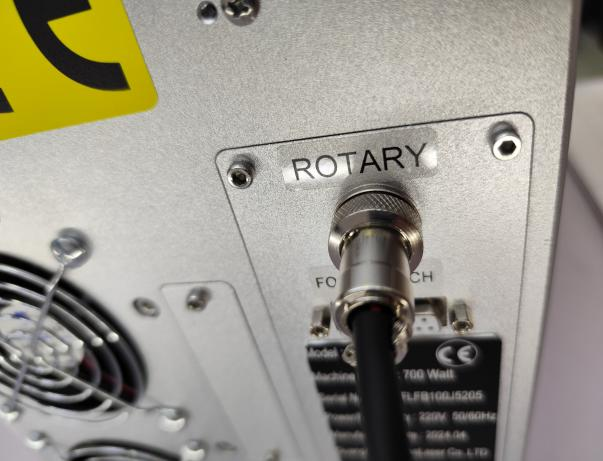
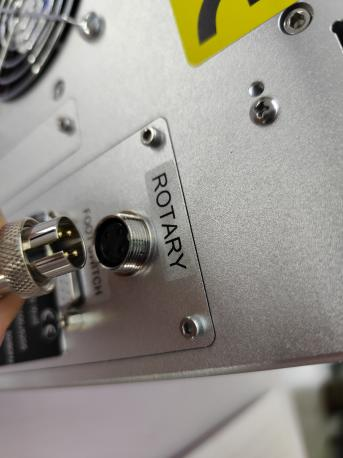
1.Check whether the power cable of the rotary is connected to the corresponding position in the cabinet and is securely connected like the picture shows;
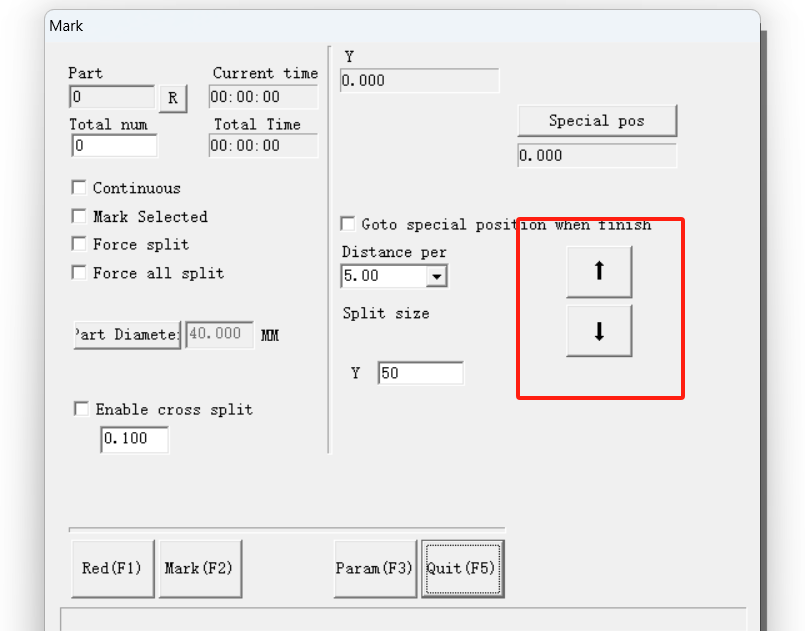
2.Open EzCAD software and click【Laser】at the top,find the 【SplitMark2】,click it,and you will see a page, then you can click the 【↑】or 【↓】,while clicking you can see if the rotary also follows the movement;
3.Still click the【Laser】, find the 【Rotate Text Mark】, click it and see a page, then find the【Param】and click it, you will see there is a【ID】option, in this option, you can see there has【X】【Y】【Z】you can choose.
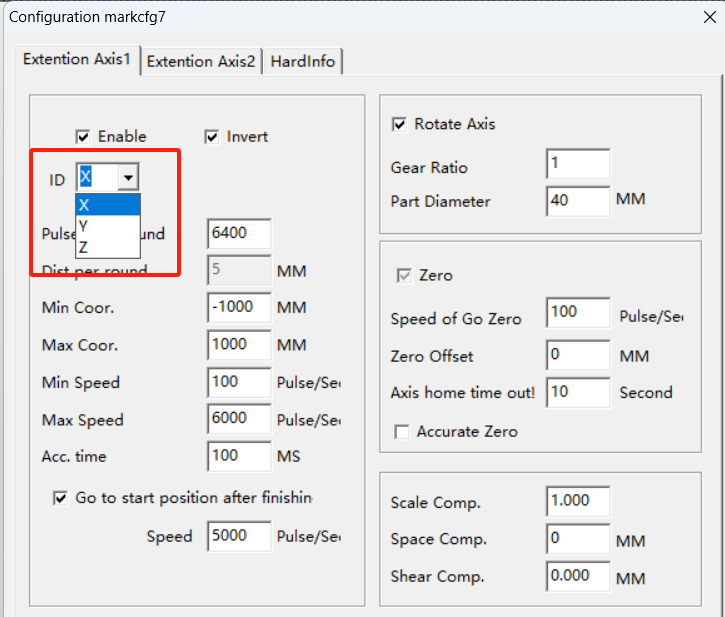
In this case, you need to determine the direction in which your rotor needs to turn.
If the rotary will be rotated as shown in the picture, you need to click and select 【Y】.
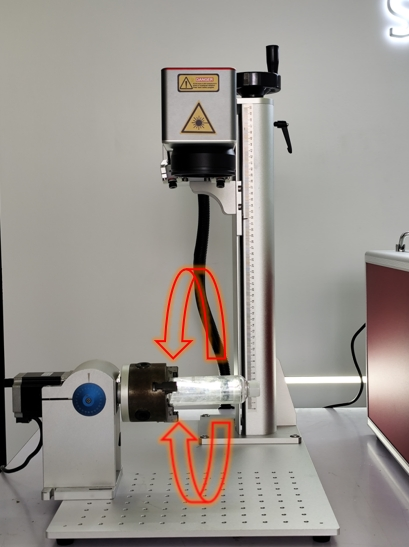
And if the rotary will be rotated left and right as shown in the picture, you need to click and select 【X】.
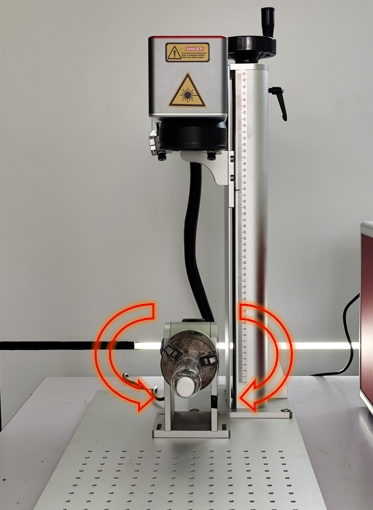
If after completing these operations, your rotary still does not work, please kindly contact us and FOCUSLASER will provide you with a further inspection of your machine and fix the problem.
