
Introducción
Laser technology is progressively advancing, leading to the replacement of traditional engraving processes with laser engraving. Various techniques like cutting, calificación, and engraving can be done using Máquinas de marcado láser de CO2, which can also be used on wood. They are extremely useful in the field of artistry for furniture, decoration, and gift items due to their high speed, exactitud, y versatilidad.
With the advent of CO2 laser engraving, artists, craftsmen, and even industries have been able to improve further the detail level of various wooden products such as toys, recuerdos, Christmas tree decorations, and architectural models. CO2 laser marking machines are faster, less expensive, and more efficient than traditional carving machines because they use a non-contact laser beam, which makes it possible to burn patterns into wood with high precision.
Users can customize the depth of engravings or cuts depending on the design and features required. This article describes the technologies underlying CO2 laser marking machines, their use in decorative engraving, and basic techniques of working with the equipment.
Troubleshooting of typical problems and ways of achieving optimum results are presented. As a beginner or advanced hobbyist, this guide will help you improve your skills with the use of laser engraving devices.
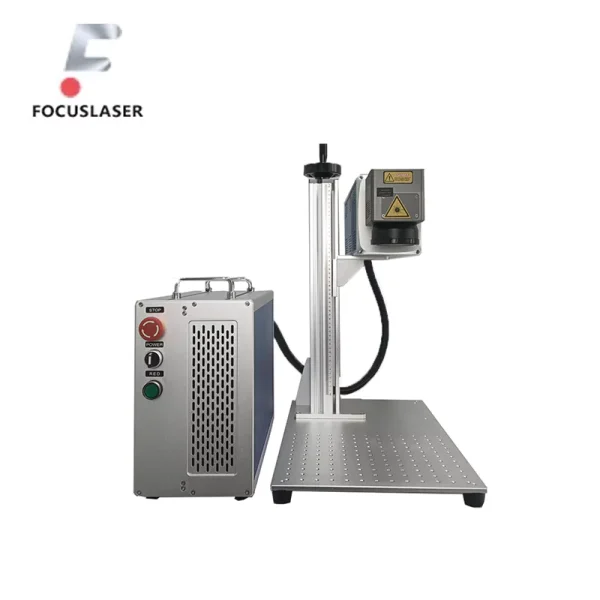
Understanding CO2 Laser Marking Machines
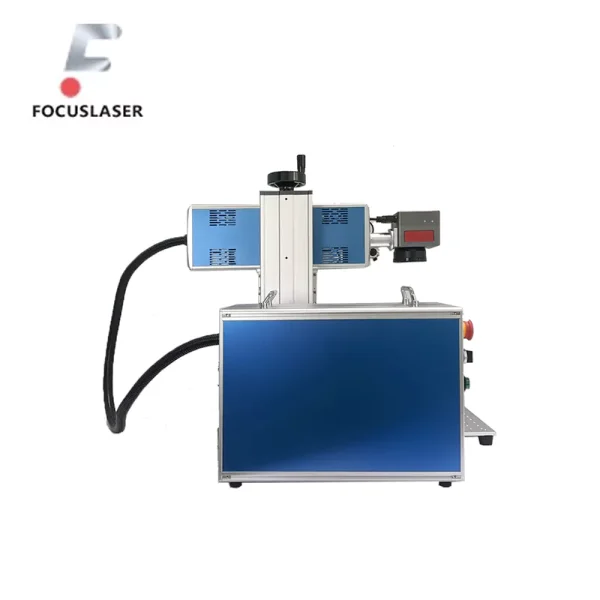
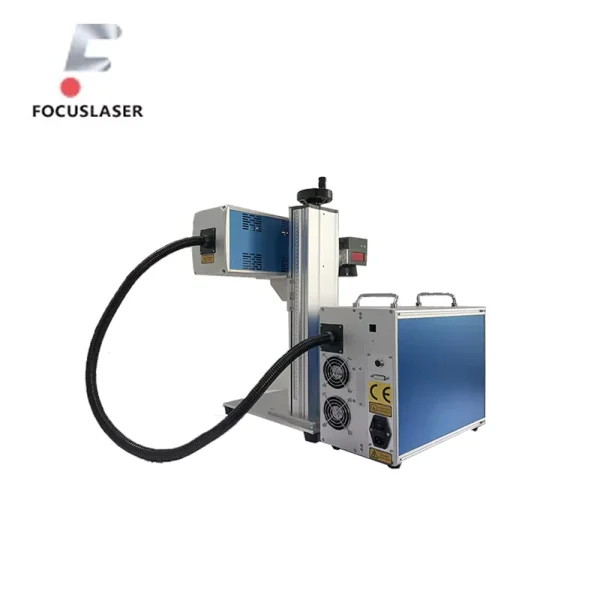
CO2 laser marking machines are specialized equipment that engraves or cuts materials using high-powered laser beams. They work with nonmetallic materials such as wood, vaso, acrílico, y cuero. The laser beam is the resulting product from a gas mixture of carbon dioxide (CO2), nitrógeno, and helium. Electricity passing through the mixed gases creates an imperceptible laser that has the ability to cut or burn surfaces in different styles and patterns.
CO2 laser machines are considerably more precise than any other method available. Lasers do not slip or produce random cuts the way hand tools do. Instead, they follow preprogrammed paths. Detailed logos, artistic engravings, and intricate designs are cut with utmost ease. Wood is not damaged physically nor indirectly because there is no contact during the marking process.
The adjustable power and speed settings are equally impressive. Users can precisely engrave the material at a controlled depth. Higher settings cut surfaces more easily than lower settings. Thick wood is cut best at high-powered cuts.
Like other laser machines, CO2 laser marking machines can be integrated with a computer onto which designs can be drafted and sent to the marking machine for execution. This feature greatly simplifies the process of producing customized items such as name plates, signs, and ornamental wood carvings.
Common Applications of CO2 Laser Engraving in Decorative Work
Engraving wood with CO2 laser marking machines can be done for many works and projects. These machines are meant for personal, commercial, and even artistic use; many intricate and stunning works can be accomplished with these machines. Let us now discuss some of the most well-known applications of CO2 laser engraving in decorative works.
Wood Engraving for Toys and Decorative Items
CO2 laser marking machines are most popularly used for the mass production of toys and wooden souvenirs. Wooden puzzles, building blocks, and wooden figurines can all be customized through engraving names, symbols, or custom designs on them.
Además, laser engravings can be added to decorative wall hangings, coasters, and even photo frames. The wonderful thing about the CO2 laser is that it can add very fine details that would otherwise be too difficult to carve using conventional carving tools.
Personalized Souvenirs and Gifts
Laser engraving is widely used for creating tailor-made gifts and souvenirs. For special occasions like birthdays, weddings, or holidays, adding a custom design or engraving makes a wooden gift unique. CO2 lasers are able to engrave nameplates, keychains, plaques, custom photo frames, and even jewelry boxes.
This has made the laser engraving industry popular in the gift and souvenir sector, where businesses can now sell personalized items that can be treasured by customers for years.
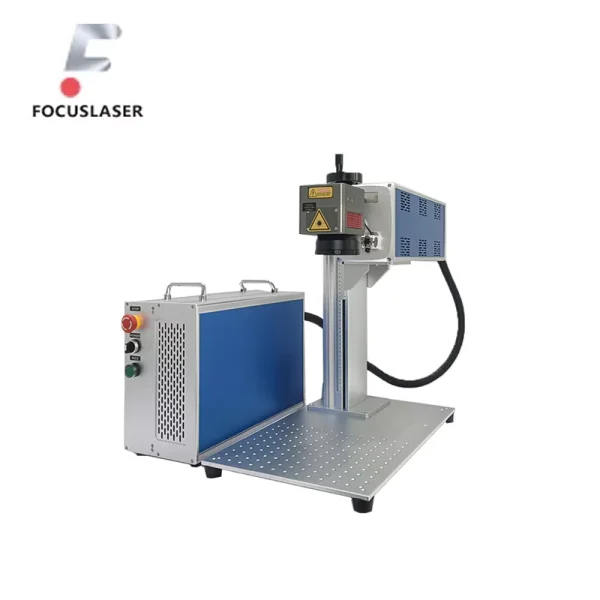
Christmas Decorations and Holiday-Themed Engravings
Other uses of CO2 lasers include making decorations for Christmas and other holidays. Laser cutting and laser engraving make it possible to create detailed wooden ornaments, cards, and gift tags.
During the holiday season, many people prefer giving or decorating with personalized gifts. CO2 lasers make it very simple to create intricate designs such as snowflakes, reindeer, and trees. The machine can also quickly engrave or cut wood to create stunning decorations that will beautify any home during the festive seasons.
Architectural Models and Prototyping
In the sphere of architecture and design, powerful CO2 laser marking machines serve the purpose of making architectural models and prototypes. Most of these prototypes are made with high-level details that are often hard to achieve with most of the instruments.
Since the laser enables high precision accuracy, architects can cut and engrave miniature versions of buildings, including intricate parts such as windows, doors, and decorative features. Prototypes of new products or buildings are also quite easily and cheaply made through laser engraving before proceeding to full-scale construction.
Custom Furniture and Interior Design Applications
CO2 laser marking machines are equally important when it comes to specialized furniture design. It is possible to personalize carved or intricate wooden furniture with the engravings done on these machines by artists and designers. Be it a wooden table, shelves, or even a cabinet, CO2 lasers can not only etch surfaces but also cut out particular designs that can be used as shapeable elements.
It makes it possible for those seeking specialized custom-made furniture pieces to look no further. These pieces of furniture can become exceptional and special for a business or individual by enabling engraving of logos, designs, inspirational quotes, or anything else cherished by the custom mark holder.
A few applications of CO2 laser engraving are included in these examples for decorative designs. As is clear from the examples, the versatility, exactitud, and rapid pace at which these systems complete tasks make them the best option for many imaginative works.
How to Select the Right CO2 Laser Machine and Application Scenarios
Purchasing a CO2 laser marking machine for wood engraving is like solving a puzzle. You will need to take many factors into account before arriving at a concluding decision. It is beneficial to identify a particular problem before determining the solution. In light of this, let us investigate the parameters defining the choice of the correct machine and the cases that require reconfiguration for ideal outcomes.
1. Power Requirements
The first thought that comes to mind is the consideration of power requirement estimates. For engraving purposes, a fed laser with a power rating of 40W to 60W is often ideal. Power is often sufficient for names and logos on wooden items.
It can also cut designs that are moderately detailed. In the event you anticipate cutting into thick pieces of wood, or if you need to engrave deep designs, a more powerful laser tool will be helpful. A 100W or above power-grade laser will do the trick. The higher the set power, the stronger the cut’s intensity and speed of engraving.
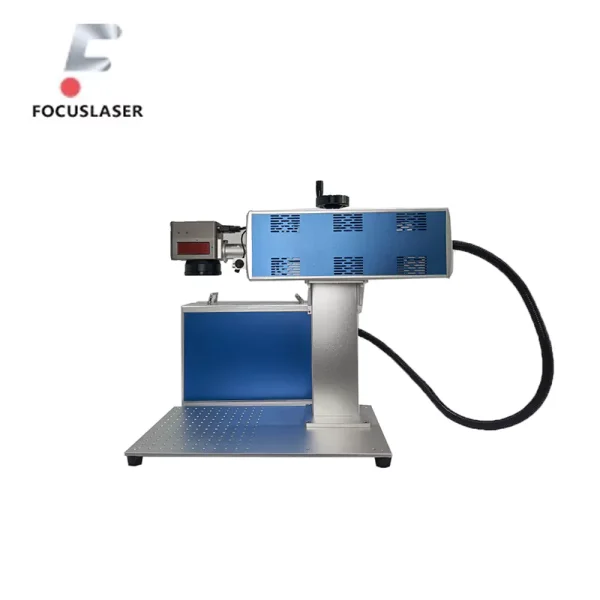
2. Tipo de material
Different types of wood react differently to the laser. Softer types of wood, such as pine or balsa, are easier to engrave and cut through than oak or maple. Be sure to select a laser machine that can handle the type of wood you will be working with. Por ejemplo, softer woods may need power and higher engraving speeds. On the contrary, harder woods need more power and slower speeds to get a clean, precision cut.
3. Tamaño del área de trabajo
The larger the laser bed, the better. Having a bigger working area is important when you plan to engrave larger pieces of wood for furniture or decorative items. Most machine’s standard size is around 600mm x 900mm, but there are bigger machines to accommodate larger projects. On the other hand, smaller items like keychains, coasters, or small art pieces can be done with a smaller machine, which could also be cheaper and more compact.
4. Compatibilidad de software
Lastly, figure out the software that the machine can work with. Most CO2 lasers are used with design software such as CorelDRAW, Adobe Illustrator, and AutoCAD. Check if the laser marking machine can work with the design software you intend to use because that will make it easier for you to import your designs for engraving as well as woodwork.
Understanding these factors and choosing the right machine for your requirements will enable you to maximize the benefits of your CO2 laser marking system. The right machine will allow you to personalize small souvenir items and even large furniture pieces effortlessly.
Step-by-Step Guide to CO2 Laser Wood Engraving
At first glance, using high-performance CO2 laser marking machines for wood engraving might seem like a daunting task, but with order of operations and properly done prep work, beautiful designs are easy to achieve. Here is a simple engraving procedure process, from design preparation to project completion.
1. Preparing the Design and Machine Settings
Preparing the design comes before the actual engravings begin. CorelDRAW and Adobe Illustrator are immensely popular among users as they offer numerous vector design solutions. With these applications, users can create and edit shapes and text that will be incorporated into the design. One key thing to note is that the laser marking machine is most effective with vector images (outlines or paths) as opposed to raster images (those based on pixels).
When you are finished working on your design, remember to set the proper extension for the laser machine, either AI, SVG, or DXF. If there are dimensions that need to fit within a specific piece of wood, the design must be scaled adequately. Además, always check the resolution (DPI) of your design. Fine, detailed engravings require a higher resolution, while larger engravings with less detail don’t require a high resolution.
Próximo, modify the machine’s specifications. The various power, velocidad, and resolution parameters you select will impact how deeply and clearly the engraving will be done. For engraving wood, a typical setting is:
- Fuerza: 40% to 60% for fine details
- Velocidad: 200 to 300mm/s for delicate engraving, slower for deep cuts
- Resolution: 300 DPI for detailed work, 150 DPI for less detailed designs
2. Setting Up the CO2 Laser Marking Machines
An outline is prepared, and the machine’s parameters are checked. Now, it is time to prepare the laser marking machine. Start with putting your wood onto the laser bed. Ensure the surface is clean, flat, and free from dust or debris, which could spoil the engraving quality. Make sure the wood is oriented properly so the carving design is engraved in the right area.
Once the wood is set, it is time to focus the laser. The focus determines how much detail and sharpness the engraving will define. Focus tools or dials are often provided with CO2 lasers to enable you to adjust the focus with a given material thickness. Properly focusing the laser is critical for ensuring that blurry or inconsistent engravings do not occur.
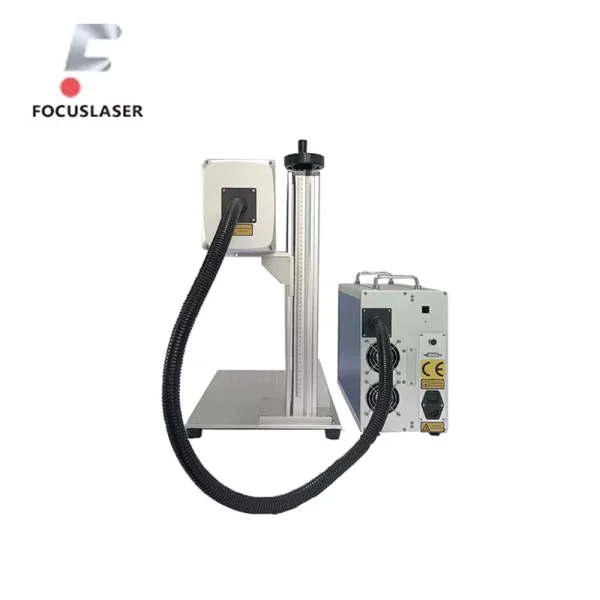
3. Running the Laser Engraving Process
The engraving phase is ready to begin, and the setup is now complete. Sin embargo, it is advisable to execute a test engraving on a sample piece of wood prior to commencing work on your final design. This allows for the confirmation of the settings and inspection to see if everything meets the anticipated results. Adjusting settings can easily be done before the final engraving, but fixing mistakes afterward can prove to be very troublesome.
Once the test engraving is satisfying, it’s time to commence the actual engraving process. Initiate the process in your software by clicking Start, and then allow the laser to do its job. The machine has been programmed to follow the pattern so that the image will be skillfully engraved onto the wood. Throughout the whole process, it is crucial to monitor the machine to ensure everything is properly functioning.
4. Post-Processing and Finishing
It is to be expected that if a person is working with a dense wood such as oak, there may always be some leftover residue or smoke marks. These surfaces can be conveniently cleaned by wiping the wood down with a soft cloth and blowing any dust away using a small air compressor. For rough marks, it may be best to sand down lightly on the engraved area.
To enhance the engraving further and give it extra protection, consider applying a sealant or wood finish. This protects the wood from damage while also giving it a nice shine. If you want to add more color to the engraved areas, you may stain the wood to make the design pop even more.
Using advanced CO2 laser marking machines makes engraving detailed designs on wood straightforward if you follow these instructions. With thoughtful preparations, everything should work as intended while making custom furniture, personalized gifts, and even artistic decorations.
Troubleshooting and Solutions for Common Engraving Issues
Issues are bound to happen, even with tools like a CO2 laser marking machine, during the engraving process. Sin embargo, do not get anxious; the majority of the problems are solvable, at least in principle. Here are a few issues you will likely encounter while engraving wood and ways to solve them.
1. Burn Marks and Excessive Charring
If burn marks or charring are present in the engraved area, it might be caused by too much laser power or slow-speed engraving. This occurs as a result of the laser burning the wood in a deeper fashion than needed.
To solve this issue, the power of the laser must be lowered, and the engraving speed must be increased. You can also apply masking or painter’s tape on the surface of the wood. This prevents the wood from burning and can provide a cleaner finish.
2. Inconsistent Engraving Depth
Another issue that arises is the crude depth of the engravings, which are too shallow in some portions of the design and, in other parts, too deep. This is likely to occur if the laser is not properly focused or if the wood is not perfectly flat. Use the equipment focus and check the amount of wood that is flat and even on the laser bed. If the wood has uneven thickness, try using a shim or spacer to level it out.
3. Poor Clarity or Faded Engraving
If the engraving appears blurry or washed out, it may be due to improper resolution or speed settings. Higher-resolution engravings (300 DPI or higher) are required for more intricate designs. Slower speeds are also ideal for sharpened engravings, particularly on finer details. Make those adjustments and undertake a test engraving on a scrap wood piece to see if it helps.
4. Smoke Residue and Stains
The laser might also leave some marks or other forms of stains on the wood after engraving. This is true, especially for hardwood and softwood blend stains. A cleaning solvent such as isopropyl alcohol will wipe those stains after rubbing them softly with a cloth. Be careful not to smudge the design. You could also lessen smoke by engaging air assist or boosting airflow during the engraving.
With these troubleshooting tips, you are closer to handling issues common with a CO2 laser marking machine. Adjusting settings and prepping the machine should guarantee sharp and precise engravings at the touch of a button.
Preventing Common Engraving Issues
Although it is good to know how to fix an issue, it is always better to avoid it in the first place. These tips will ensure you avoid common challenges while using the CO2 laser marking machine on wood.
1. Regular Maintenance of the Laser Machine
Regular upkeep of your machine significantly reduces the chances of encountering problems. You should regularly clean the lens and mirrors to prevent any dust aggregation that may obstruct the power and focus of the laser. Ensure there are no loose parts, such as worn-out belts, motors, or any other pieces that may need attention. Proper cleanliness and alignment of the machine minimize the chances of poor-quality engraving.
2. Using the Right Wood
Picking the type of wood to use is especially important. Some wood types are more challenging to engrave and cut than others. Por ejemplo, softwoods like pine and cedar are easier to work with than hardwoods like oak and mahogany.
If you are experiencing excessive charring or burn marks, using softer woods for finer detailed engravings may help. Además, it is imperative to make sure that the wood is free of defects such as knots and cracks because these will impact how the laser works with the material.
3. Proper Calibration and Focus
Always ensure that your machine is calibrated and the laser is properly focused before you start any engraving work. Out-of-focus lasers can result in blurry engravings or engravings with inconsistent cuts. Testing the focus of the laser is advisable before every new project. This can be done by changing the height of the laser bed and using a focus tool or text engraving.
4. Use the Correct Settings for Each Project
Consider adjusting the settings for each engraving project, as no two projects are the same. For engravings that are surface-level and require fine details to be etched, the optimal approach would be to reduce the laser power while increasing the speed range.
For engravings that require deep cuts, it is best to lower the speed and conveniently raise the power of the laser. If you are trying to determine the best settings, consider running a test engraving on scrap wood.
Incorporating these suggestions will keep several engraving issues at bay. Looking after your tools and being detail-oriented will allow you to use CO2 laser marking machines to their full potential.
Conclusión
CO2 laser marking machines have the ability to engrave wood efficiently and accurately. These machines can be used for a variety of purposes, such as personalizing gifts, making furniture or architectural pieces, and engraving decorations. The efficiency, velocidad, and quality of engraving is unmatched. Compared to traditional carving, laser engraving is way more intricate and smooth, guaranteeing a good output. This makes it ideal for businesses and artisans alike.
Inequalities and imperfections caused by burn marks, smoke marks, and uneven engraving are a few concerns that can be avoided with the right machine, correct settings, and maintenance routine. Además, routinely cleaning the machine, testing the materials, and fine-tuning the machine will guarantee that the results are always up to standard.
If you require a CO2 laser marking machine for commercial or personal use, Focus Laser System offers reliable products suitable for varying purposes. For assistance or expert consultations, reach out through the Focus Laser System’s Contact Page.
In the presence of proper knowledge and tools, enhancing and exploring new boundaries of creativity is possible with CO2 laser engraving.
Preguntas frecuentes (Preguntas frecuentes)
Some questions arise with the use of a CO2 laser marking machine for wood engraving. To facilitate, we collected some common queries and provided answers to them.
1. Can I engrave any type of wood with a CO2 laser?
With a CO2 laser, most types of wood can be engraved with utmost precision; sin embargo, softer types of wood, such as cedars, pines, or balsa, are a lot easier to cut. De este modo, they work best. Oak and mahogany are also great options, but they are more difficult and require more power and slower engraving speed, making them hardwoods.
2. How deep can a CO2 laser engrave into wood?
The depth of engraving can vary based on the types of wood, laser strength, velocidad, and other factors. Generalmente, CO2 lasers can surface engrave as lightly as marking the surface or up to several millimeters deep based on how the settings are adjusted. For deeper cuts, it might be necessary for the user to make more than one pass.
3. Do I need to use a ventilation system?
Sí, ventilation or an air extraction system is mandatory when using a CO2 laser marking machine. Since the laser burns the wood, it results in the production of harmful fumes, such as smoke and gas. An extractor fan will assist in ventilating and purifying the air as well as provide a safe working environment.
4. Can I engrave images or just text?
It’s possible to engrave images or texts and not limited just to texts when using CO2 lasers. It is essential to have the correct software for the image and also to make sure the image is a vector graphic so that you get the perfect results.
