
Introducción
Jewellery making is soon changing with desktop fibre lasers that provide a wonderful way to create beautiful and intricate designs. These machines are small and easy to use with metals like gold, plata, y cobre. Used in both small workshops and large-scale production, they save a lot of time and are very accurate.
With a desktop fibre laser, engraving custom patterns, personalising jewellery, and marking things with logos and serial numbers is easy. The lasers are very precise and very fast, so we can etch such intricate designs that you couldn’t possibly do by hand.
One way of exploring that is in this blog, where we’ll talk about how desktop fibre lasers work and the properties of these lasers. We will also help you figure out which applications to choose, walk you through the step-by-step process of using these, and share tips for handling typical problems! No matter if you’re a professional jeweller or a beginner, this guide shows you the amazing application of desktop fibre lasers in making jewellery.

Properties of Desktop Fiber Lasers
The features of desktop fibre lasers make them ideal for jewellery making. Powered by advanced technology in a compact hollow, these machines are favourites among both hobbyists and professionals. Entonces, let’s have a closer look at what makes these lasers so unique.
1. High Precision and Speed
One of the big advantages of desktop fibre lasers is the fact that they can be used with outstanding accuracy. They can make fine patterns, fine text, and detailed images of gold, plata, or copper. The precision also means that your smallest designs will look sharp and clean. Plus, they work quickly, and that’s good for jewellers interested in speed.
2. Versatility with Metals
Many types of metals, including precious metals such as gold and silver, are compatible with desktop fibre lasers. From engraving a wedding ring to marking a custom pendant, these machines can easily take care of your engraving needs. Some jewellery can even be made out of less expensive materials, such as stainless steel, increasing the option for jewellers to complete a variety of projects.
3. Compact and User-Friendly Design
One of the best things about desktop fibre lasers is their size. Small enough to be fitted on a desk and workstation, these machines are ideal for home studios and small workshops. They pack a powerful and easy-to-use punch despite their size. Many machines have easy-to-use software that does the following: upload a design, adjust settings, and start engraving in a few steps.
4. Long-Lasting and Low Maintenance
Fibre lasers are built to last, which means that jewellers are wise to invest in them. Other machines require much maintenance, but these don’t. A desktop fibre laser is well-cleaned up and can stay in good condition for many years.
5. Environmentally Friendly
Además, these machines also consume less energy than other engraving tools. Not only does it save money, but it also decreases the carbon footprint of jewellery production.
In other words, desktop fibre lasers provide a combination of precision, flexibilidad, and simplicity of use. Due to these features, they become an indispensable tool when wanting to create quality jewellery quickly and effectively.
Choosing the Right Application Scenarios
Desktop fibre lasers are versatile tools that, when used properly, can advance mobile photonic and vibronics technology. In this section, we’ll teach you how to choose good application scenarios for your projects and leverage your machine to the fullest.
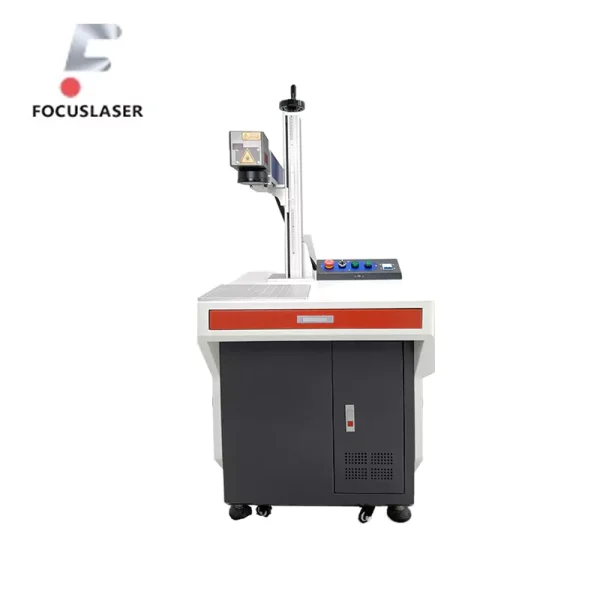
1. Common Applications in Jewelry Making
Desktop fibre lasers are widely used in jewellery-making for tasks like:
Grabado: Personalising jewellery pieces, including rings, bracelets, and pendants, adding names, initials, or relevant dates.
Marking: Putting brand logos, hallmarks, or serial numbers on jewellery for identification or authenticity.
Cutting: To shape thin sheets of metal into strange, unique designs for pendants, earrings, or other components.
What these applications do is that they let the jewellery practice sell custom pieces that are significant and stylish at the same time, and they can do that to a broad range of customers.
2. Factors to Consider
When choosing how to use your powerful desktop fibre laser, keep these factors in mind:
Tipo de material: Different metals require different settings. Por ejemplo, gold may need lower power settings than stainless steel. It is always a wise idea to make sure that the laser is used with the material you are working on.
Design Complexity: Desktop fibre lasers are great because of their precision if your design is very detailed. Some designs may be more complex and require testing and tweaking to achieve that particular look, though.
Volumen de producción: Laser’s ease of use and speed will save time should you be making a single custom piece. Desktop Fiber lasers can provide consistent results across multiple items with batch production.
3. Real-Life Use Cases
Here are some examples of how jewellers use desktop fibre lasers:
Customised, engravable wedding bands for couples are created by a jeweller.
A branding jewellery collection of logos engraved on it for use with a luxury brand is the product of a designer.
Handmade earrings of intricate shapes are cut from silver sheets by hobbyists.
4. Testing and Experimentation
Always testing your laser on a sample piece of metal before you start a new project is always a good idea. You can then tune things – like power, velocidad, and frequency – to make the best possible results.
If you carefully select the right scenarios and settings, your desktop fibre laser will always provide you with the perfect opportunity to make stunning jewellery pieces time after time.
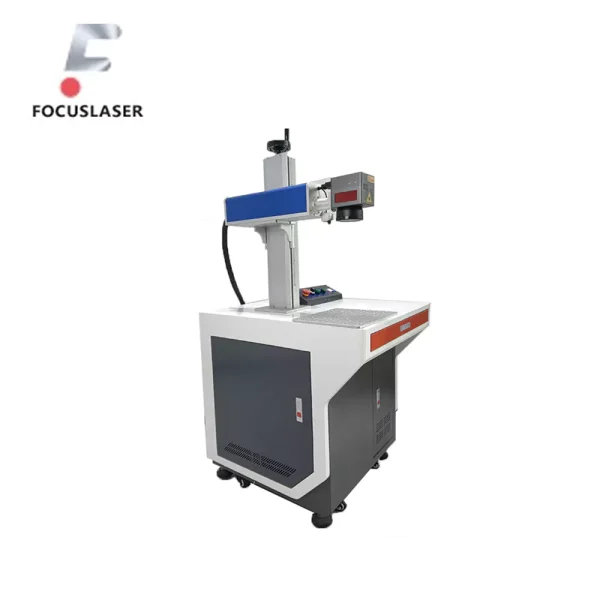
Step-by-Step Operation Guide
Primero, using a high-end desktop fibre laser for jewellery making may be complicated, but if you follow the right steps, you will be able to create beautiful pieces very quickly. This guide will walk you through all of the processes, including setting up the machine, your design, and finally finishing your work.
1. Setting Up the Desktop Fiber Laser
Primero, you have to prepare your machine.
Unpacking and Placement: Put your laser on a flat, stable surface. To facilitate safe operation, make sure the area is well-ventilated and free from clutter.
Connecting Power and Software: Connect the machine to your computer and plug it in. Get the software that comes with the laser. Almost all software is easy to install.
2. Preparing Materials for Engraving
You must prepare your materials before you start.
Cleaning the Metal Surface: You should clean a jewellery piece using a soft cloth and alcohol. It also removes dirt, oils, or other impurities that may impermissibly diminish the engraving quality.
Securing the Material: Put the jewellery piece on top of the laser work platform. Keep it steady during engraving by use of clamps or a holder. It stops movement that would cause blurry marks.
3. Creating and Inputting the Design
Our time is now to work out your design.
Choosing a Design: Use Adobe Illustrator or CorelDRAW and create or select a design. What many desktop fibre lasers support file types?DXF,.SVG and even .AI.
Importing the Design: Its software is then imported with the design. Tweak your design’s size and position till it synergises your jewellery piece beautifully.
4. Configuring Laser Settings
Achieving the best results is all about getting your settings right.
Power and Speed: Change the power and speed of the laser according to metal type. This is a big reason that you may need different settings for your drill presses in some situations (such as for soft metals like gold) and other situations (such as harder metals like stainless steel).
Frecuencia: Enter the frequency to set how deep and sharp the engraving will go.
Enfocar: Make sure the laser beam is hitting the surface accurately using the laser’s focus tool. The quality of the engraving is thus improved.
5. Performing a Test Run
Entonces, test your settings on a sample piece before doing the actual jewellery.
Test Engraving: On the first try, the settings should be good, but if not, use a scrap piece of the same material to check them. También, change if necessary so that the engraving is clear and detailed.
Reviewing the Results: Study the test engraving carefully. If the lines aren’t smooth or the design is not crisp, I make small adjustments to the settings.
6. Engraving the Jewelry
You’re ready to start engraving the jewellery piece now.
Iniciar el proceso: Start engraving once you’re sure about the settings. Watch the machine at work to be sure everything goes okay.
Pause if Needed: Whenever something doesn’t look right, stop the machine and repair the mistake before going on.
7. Post-Processing the Jewelry
Fit in the engraving, and then some finishing touches are required.
Limpieza: If you use a soft brush or cloth to remove any dust or residue left from the engraving process, be sure to use a soft brush or cloth.
Polishing: Engraved jewellery doesn’t shine or have the details of the design; polish it to make it shine and to get the details of the design.
Control de calidad: Have a last inspection on the final piece to make sure it fits your expectations. Revising the article is easy: look for any errors or spots that would benefit from a touch-up.
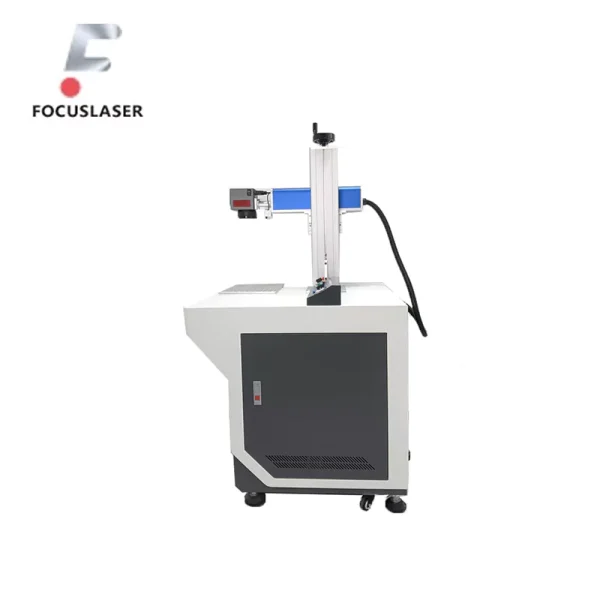
8. Storing and Saving Designs
Store your design files so you can use them later. This means you’ll have the design ready if you intend to make more of the same jewellery. Put your designs into an orderly sorted folder and back them up often.
Por aquí, you can make jewellery using your cutting-edge desktop fibre laser and be professional. With practice, the process gets quicker and easier, giving you the ability to play around with some new ideas and techniques. This guide will help you no matter if you will engrave one piece or a collection.
Troubleshooting and Problem-Solving
When you set up and care for a desktop fibre laser correctly but still run into problems, it can occur. Most problems can be fixed quickly, so don’t worry. Próximo, we will look at common issues, what is causing them, and how to fix them so you can continue to make your beautiful jewellery without distractions.
1. Uneven Engraving
Problem: The engraving isn’t even or doesn’t have an even engraving.
Possible Causes:
The laser is out of focus.
Either the metal surface is not even or not secured.
Solutions:
Use the included people to adjust the laser’s focus.
Make sure to have a clean, flat piece of metal securely in place on the platform.
2. Blurry or Incomplete Marks
Problem: You can see the design is blurry or there is a missing part of the engraving.
Possible Causes:
It moved during the engraving.
Something is wrong, such as speed or power, with laser settings.
Solutions:
Clamp or hold the material so it can’t move.
Make sure the power, velocidad, and frequency settings match the type of material.
3. Software or File Errors
Problem: It may not be reading the design correctly, or the engraving doesn’t match the design.
Possible Causes:
The file format is not supported.
Or there’s a corrupted design file, or it is too complex.
Solutions:
Common use formats are.DXF, .SVG, AI. Convert the file if needed.
Simplify the design by reducing unnecessary details or layers.
4. Overheating of the Machine
Problem: During use, the laser overheats and stops working.
Possible Causes:
Extended use without breaks.
Problems with airflow around the machine.
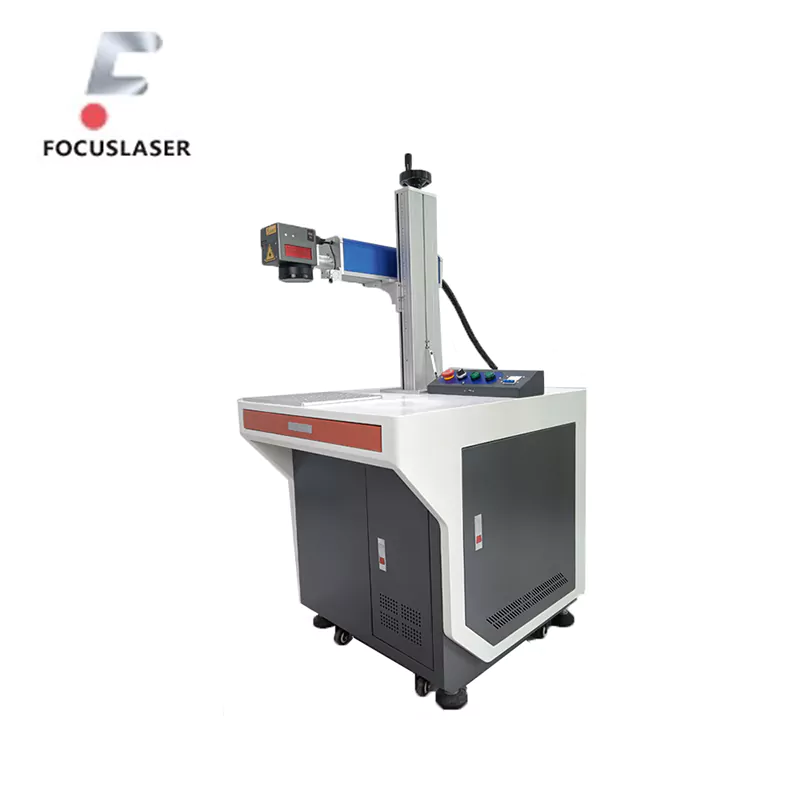
Solutions:
If it’s been a long while, let the machine cool down.
Place your machine in an area that has good airflow around the machine.
5. Poor Engraving Quality on Specific Metals
Problem: Some metals are better for engraving than others.
Possible Causes:
For the wrong type of metal.
Solutions:
Apply the recommended settings for each metal in the research. Work on the final project only after running test runs.
De este modo, if these common problems meet, you will quickly find solutions to troubleshoot the desktop fibre laser and make it run smoothly.
Preventive Maintenance and Tips
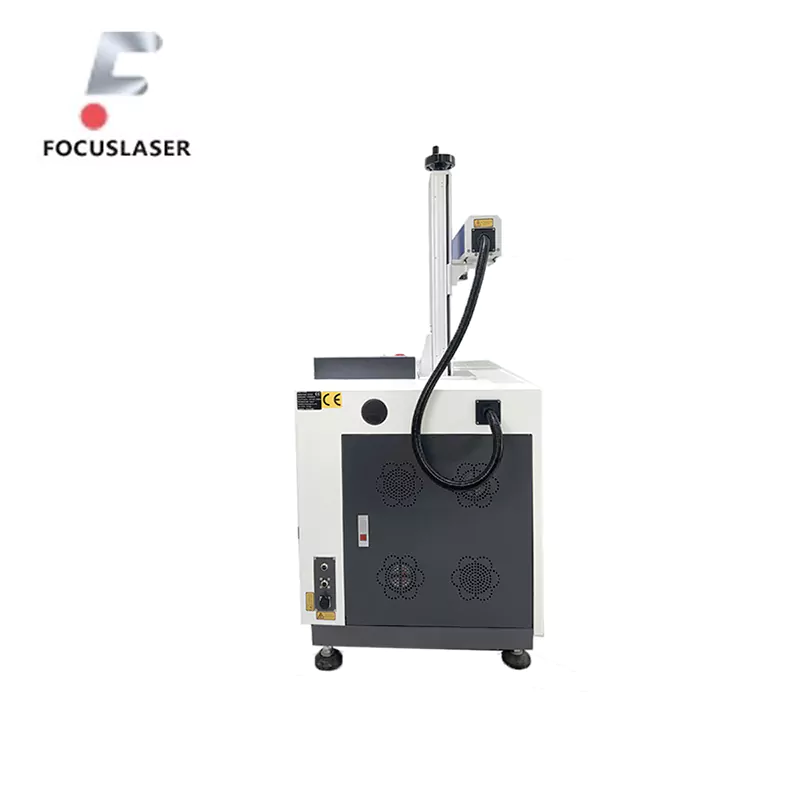
it is important to take care of it To make sure your premium desktop fibre laser will last as long as it has to provide. Not only does regular maintenance help keep the machine out of trouble during engraving, but regular maintenance really helps keep the machine in good condition. AVOID DIRECT HEAT – To avoid the glass breaking, avoid direct heat on the laser, and never place the laser directly in the sun.
1. Daily Maintenance
- Clean the Machine: Clean the laser’s surface and work area, and remove dust and debris after every use. The laser beam can be blocked by dust, which negatively affects its precision.
- Inspect the Lens: The dirt or scratches on the laser lens should be removed. Don’t use a hard cloth; use a soft cloth and lens cleaner.
- Check for Loose Parts: Be sure to screw all the screws and all the parts tight. Without being a loose part, vibrations can also cause blurry engravings.
2. Weekly Maintenance
- Clean the Air Vents: The air vents can also collect dust, which restricts the airflow enough for the machine to overheat. You may clean vents using a small brush or vacuum.
- Test the Laser Beam: Repetition will be guaranteed, but a test engraving on a scrap piece is to be done to be sure that the laser is still giving consistent results.
- Calibrate the Focus: Focusing the beam on the moving surface at the right angle can be adjusted. It helps in keeping engraving quality.
3. Long-Term Maintenance
- Replace Worn Parts: In time, parts like the lens or nozzle work their way out. They should be replaced on time, Por ejemplo, if they affect the laser’s performance.
- Check the Power Supply: Make sure the power is straight up and your cables are good. Interruptions during engraving may be caused by faulty cables.
- Service the Machine: Service all your components once a year by having a professional give your ATV a once-over.
4. Best Practices to Avoid Common Problems
- Avoid Overloading: Don’t try to engrave materials that are too deep or not compatible with the laser. This can overwork the machine and do damage.
- Store the Machine Properly: If you aren’t using it, close the laser with a dust cover to keep it clean. If you can, keep it in a cool, dry place.
- Backup Your Designs: Place your design files and settings on an external drive and save copies. This means that if you have problems with the software, you won’t lose your important data.
5. Benefits of Regular Maintenance
- It will ensure a consistent engraving quality.
- It reduces the chance of suddenly ‘popping’ a bearing.
- An extension of the machine’s lifespan, which saves money down the line.
If you implement these tips for maintenance, you will be able to ensure that your desktop fibre laser continues running effectively and efficiently. But regular care not only makes your work come out better, but it also helps prevent costly repairs.
Conclusión
Sin embargo, high-quality desktop fibre lasers have completely revolutionised the jewellery-making process through unmatched precision, velocidad, y versatilidad. With these compact machines out on the market, jewellers can create pretty intricate designs, make pieces all customised, and make high-quality around in a very efficient manner. Desktop fibre lasers can engrave wedding bands, produce brand logos, and create custom pendants quickly and easily.
If you understand the properties of your laser, which application you are choosing, and the proper operation and maintenance steps you take, you can unlock your full potential from it. If you troubleshoot common issues and practice regular maintenance, your machine will stay in excellent condition and result in beautiful hair for a long time.
Fibre lasers are not only tools; they are keys to jewellery makers’ creativity and innovation.
Preguntas frecuentes (Preguntas más frecuentes)
Meanwhile, if you are getting into desktop fibre lasers for the first time, you might have some questions. Here are answers to common queries to help you understand and use your laser more effectively:
1. Can desktop fibre lasers engrave all metals?
Sure, desktop fibre lasers are very versatile and can engrave most metals like gold, plata, cobre, acero inoxidable, platino, etc.. Yet not all metals have specific settings, and you should always charge by power and speed according to the material.
2. Do I need special training to use a desktop fibre laser?
With most desktop fibre lasers designed for user-friendliness, with simple software interfaces, no. Manufacturers also provide instructions and tutorials. Even beginners can get professional results with some practice.
3. What safety measures should I take when using a fibre laser?
Wear goggles all the time to protect yourself from the laser beam. Make sure the workspace is well-ventilated so you don’t inhale fumes from engraving. Utilise all the safety guidelines supplied by the producer.
4. What should I do if my engraving doesn’t look right?
También, check on your laser’s focus, fuerza, and speed settings. Sometimes, it is due to incorrect calibration and sometimes by placing material in the wrong place. Sin embargo, with this testing on a sample piece, you can resolve these issues.
5. Can desktop fibre lasers handle large-scale production?
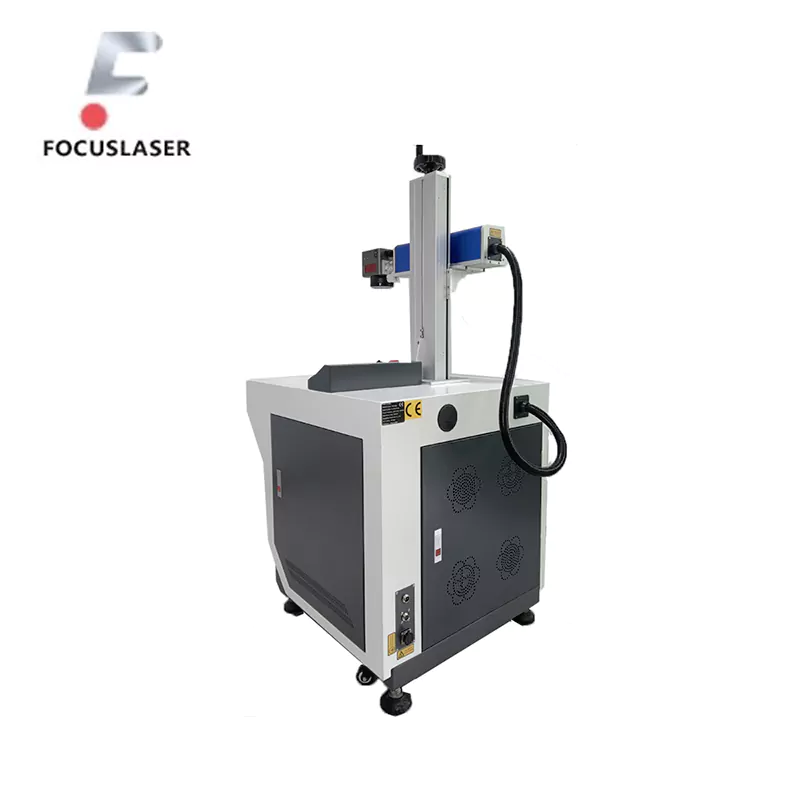
Sí, these lasers are fast enough and efficient enough to do it both custom and batch. This precision guarantees a consistent quality, regardless of size order.
6. How do I maintain my desktop fibre laser for long-term use?
Keep the lens and work surface clean regularly, check the beam alignment, and update the software if new versions are out. Do not overload the device or use an incompatible material. Another way to lengthen the life of your laser is by scheduling yearly professional maintenance.
These FAQs should help you feel more confident about using your desktop fibre laser!
