
Introdução
Laser technology has revolutionized marking and engraving processes and one of its modern incarnations is the desktop fibre laser. This machine is small and simple but powerful enough to engrave metals or some plastics with surgical precision. Fibre lasers rapidly outdated traditional methods as they are faster, regardless of maintenance, and have a prolonged work life.
Fibre lasers are a staple for engraving logos, códigos de barra, números de série, and other permanent stamps for small manufacturers and large-sized businesses in industries like medicine, automotivo, eletrônicos, jewellery, and construction. These engravings are more than mere décor; they facilitate identification, traceability, and quality control. A desktop fibre laser offers small incorporated businesses and large manufacturers an exceptional value proposition.
This paper offers an extensive explanation of the best desktop fibre laser Aplicações, how to operate them, some troubleshooting, and maintenance for extended use. If you’re considering purchasing a desktop fibre laser, this guide will ensure you deeply understand how to leverage it to its fullest potential.

Understanding Desktop Fibre Laser Technology
What is a Desktop Fibre Laser?
A desktop fibre laser is a compact engraving machine that employs laser beams to mark materials on it. With a simple mechanism, it engraves objects by directing high-energy light on a surface, causing a reaction that permanently marks the surface. The laser engraving method is cleaner and more efficient than traditional methods as it does not make use of ink, produtos químicos, or any physical contact.
Fibre lasers get their name from the fibre-optic cables inside them. These cables amplify the laser beam, which results in a very precise laser engraving process. Fibre lasers are widely used in engraving jewellery, eletrônicos, and even medical tools because of the precision required in these instruments as they can engrave sharp designs easily without damaging the item.
Key Features and Benefits
Apart from precise engraving materials, another major benefit of a desktop fibre laser is the speed and efficiency it works at. Compared to CO2 laser-type machines, desktop fibre lasers engrave 2-3 times faster. Businesses can save a lot of time without losing quality in engravings or markings. Another benefit of these lasers is that the engravings are permanent, vastly detailed, and resistant to wear making them ideal for branding.
One of its advantages is its durability. This piece of equipment is very economical for businesses since a desktop fibre laser can last more than a hundred thousand hours. It also has a low maintenance cost as it does not have any moving components and does not consume any ink or gas.
Fibre lasers can also be used on a wide range of materials. They are effective for engraving metals such as aluminium, latão, aço inoxidável, e cobre, as well as some ABS and PBT plastics. As a result, these lasers can be utilized in various fields from engraving jewellery to marking industrial components.
Best Applications of Desktop Fibre Lasers
Due to the fast, preciso, and permanent engravings done on materials, desktop fibre lasers can be integrated into many sectors. The lasers also do not employ traditional damaging methods, ensuring safe use with delicate or expensive products. Aqui, you can find some of the most common uses of desktop fibre lasers and how various industries incorporate them.
Jewelry and Precious Metals
Fibre lasers are engraved on gold, prata, platina, and other precious metals for use in the jewellery industry. Jewellery engravers use fibre lasers to create personalised designs, iniciais, números de série, and hallmarks on rings, necklaces, and bracelets.
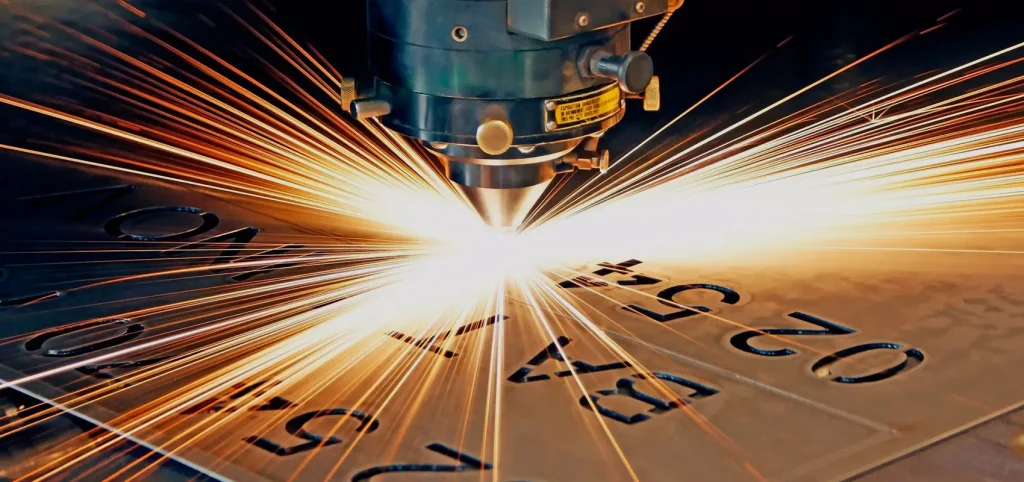
One of the greatest advantages is that fibre laser engraving is done without heating the metal too much. If the metal is heated too much, warping or damage may occur, which is crucial when dealing with delicate pieces. Compared to older methods of engraving, which are often slow and inaccurate, fibre lasers engrave with sharp, clear, and precision markings that are permanent. Fibre lasers are also used for engraving marks to prevent counterfeiting.
Indústria Eletrônica e Semicondutores
The electronics industry has specific needs when it comes to circuit boards, microchips, and connectors. Components like these require precise engraving for serial numbers, códigos de barra, and identification codes. Fibre lasers are ideal for this job as they do not trade off precision for damaging delicate electronic pieces.
Because these parts have to be engraved using contactless marking systems, fibre lasers are the best option. Besides avoiding mechanical damage, these lasers have the additional advantage of producing high-contrast markings that can be scanned and read with ease. These are essential features related to quality control, tracking, and assembly processes.
Automotive and Aerospace Components
For marking safety labels, metal parts, and engine components, the automotive and aerospace industries utilize fibre laser engraving. Every car and airplane has many parts that require identification, tracking, and maintenance. Important details, such as VIN numbers, serial codes, and manufacturing dates, require engraving so that the parts can be traced back to their origin.
Stickers and ink printing, por exemplo, are subject to fading with time, while engravings are immune to heat, produtos químicos, and friction. Laser marking provides great resistance to extreme conditions like high temperatures in engine parts or exposure to weather and corrosion on metal components. Fibre lasers are employed in the engravings of aircraft parts and control panels alongside identification tags for aerospace machines to promote safety and adherence to industry standards.
Medical Equipment and Surgical Tools
Medical institutions and equipment manufacturers utilize fibre lasers for the engraving of surgical instruments, implantes, e dispositivos médicos. Each instrument in the medical domain should be engraved and traced for security and sanitary reasons.
Markings made with fibre lasers are permanent and fade-resistant which makes them suitable for stainless steel surgical instruments and medical implants such as titanium screws and pacemakers. These marks, though often micro-sized, can be easily tracked and monitored by hospitals to prevent mix-ups during surgeries.
Além disso, the process of fibre laser engraving does not include the use of ink or any chemicals, therefore making it a contamination-free and safe method. Medical packaging is also imprinted with QR codes and barcodes using lasers so that particular devices can be issued without violating strict regulatory orders.
Industrial Manufacturing and Branding
Branding, as well as product and traceability labeling, are important in industrial sectors. Many manufacturers employ desktop fibre lasers for engraving logos, números de série, and even batch codes on tools, equipment, and consumer goods. Unlike printed labels that can fade or fall off, laser marks are visible in harsh conditions.
Por exemplo, power tools, industrial machines, and electronic gadgets bear permanent branding in the form of high-powered laser etching to prevent counterfeiting and unauthorized duplication. Fibre lasers are also employed as security measures where invisible engravings are added which can only be seen under special lighting conditions.
Luxury Goods and Personalization
Designer accessories, high-end watches, and premium gift items are engraved by luxury brands using fibre lasers. Personalization is increasingly becoming a common practice in the luxury market that fibre lasers enable by engraving names, dates, or personalized artwork on purchased items.
Commonly engraved items include high-end leather wallets, pens, metal phone cases, and even luxurious perfume bottles. With the ability to offer fine detailing, fibre lasers allow brands to engrave intricate and elegant designs that increase the products’ value. This is common in limited edition products, where each item has its serial number making it more exclusive.
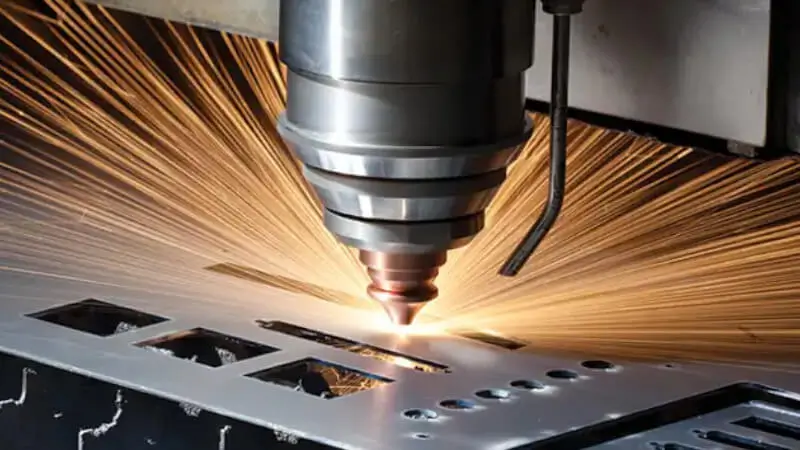
Firearms and Defense Industry
In the defense sector, fibre lasers are used for marking firearms, tactical gear, and military weapons with great precision and speed. All firearms in possession of governments and law enforcement agencies must have permanent serial numbers and identification markings in the form of decals.
Fibre lasers have the capability of engraving steel, aluminium, and polymer gun parts with exceptional precision so that the markings do not wear out with time. Também, military accessories like night vision devices, scopes, and protective gear are often laser-marked with identification designations for shipment and security purposes. It is for this reason that fibre lasers are the equipment of choice in this sector because they engrave without compromising material strength.
Plastic Engraving for Industrial Use
Fibre lasers are designed to engrave metal only, but can also be used on select plastics. Fibre lasers are employed by companies that manufacture electrical casing components, automotive dashboard panels, and other electronic housings to engrave logos, descriptive text, and safety legends on plastic surfaces.
Unfortunately, not all types of plastics yield good results when fibre laser engraving is used. No entanto, types such as ABS and PBT do produce the best results and can generate quality engravings. This is advantageous for industries that require durable plastic labels such as electronic and medical device manufacturing.
Customized Gifts and Promotional Products
Many small firms and engraving centres use desktop fibre lasers to mark gifts and advertising goods. Fibre lasers can create detailed mark engravings on metal plaques, trophies, keychains, and custom business cards. They are widely used for personalised products, wedding gifts, and corporate giveaways.
Due to the precision and detail achievable with fiber lasers, businesses can produce high-quality engraved items in bulk or small quantities. The ability to engrave signatures, Logos, or even intricate graphics makes these machines highly sought after by print shops, gift shops, promotional product manufacturers, and gift stores.
How Fibre Laser Engraving Benefits Businesses
Implementing a desktop fibre laser has many benefits for businesses in various sectors. It is fully automated, quick, e altamente preciso, which saves time and labor costs. There is consistent quality output because high-volume businesses can engrave thousands of products.
Também, since fibre lasers do not require ink, produtos químicos, or additional consumable parts, they reduce waste, production costs, and consumable expenses. They do not create toxic fumes or residues, so they are clean and environmentally friendly.
Finalmente, the fibre laser engravings having a permanent, durável, and wear-resistant finish are ideal for long-lasting markings. From jewellery and electronics to automotive and medical fields, these industries have found desktop fibre lasers to be indispensable tools because of their ability to engrave metals and plastics at high speeds and precision.
These lasers proved to be best for businesses needing permanent verbose markings like logos, códigos de barra, números de série, and decorative engravings. With the increased demand for better traceability, security, and customization, these lasers will be an asset for small businesses and manufacturers in all industries.
How to Select the Right Application Scenario
Your desktop fibre laser choice should be based on a number of variables within your business. It is important to note that not all lasers are equal and every industry has its unique requirements. Accomplishing the desired results entails knowing how to relate the laser parameters, material type, and engraving depth to your particular case.
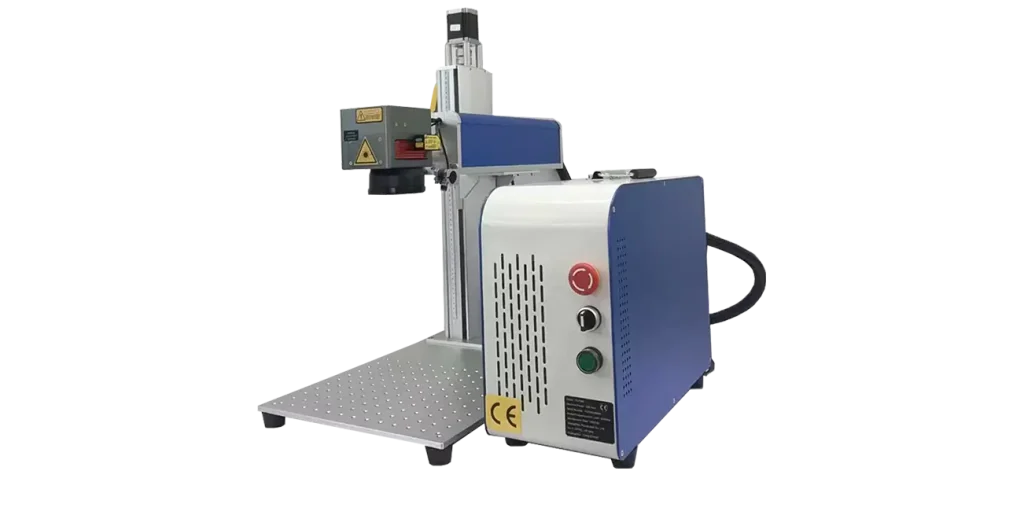
1. Identify the Material You Need to Engrave
The first decision you need to make is the materials that you will be using. Fibre lasers work best with metals such as aluminium, aço inoxidável, prata, e cobre. They also engrave some plastic materials, specifically ABS and PBT. No entanto, if your needs include engraving wood or glass, a CO2 laser would accomplish those results more efficiently.
2. Choose the Right Power and Speed Settings
Engraving speed and the power used on different applications vary. Deep engravings on metals require more power and such work is best done by a stronger laser, say 50W and above. Light surface engravings can utilize 20W or 30W lasers. Light showers of power coupled with other parameters such as speed, frequency, and focus also help acquire clearer engravings.
3. Consider the Size and Precision Required
For engraving intricate details such as bar codes or serial numbers opt for lasers with high beam quality and fine focus adjustment. Electronics and medical industries require precise markings just as jewellery and branding need aesthetically smooth engravings.
4. Ensure Software Compatibility
You can engrave and control your designs using EzCad or LightBurn software on a desktop fibre laser. If you’re using these file formats DXF, IA, PLT, or BMP, ensure the laser supports them. It’s always easier when the software is user-friendly.
In competitive markets where precision is crucial, selecting the right desktop fibre laser ensures the quality of engravings. These pointers should help you comprehend the primary reasons behind the performance of the machine with your specifications.
Step-by-Step Guide to Operating a Desktop Fibre Laser
A desktop fibre laser can seem like a complicated machine to operate. By simplifying it into segments anyone can utilize it easily step by step, regardless of whether you are personalizing a product or engraving jewellery, proper machine setup ensures excellent outcomes.
Step 1: Setup & Preparation
It is crucial to ensure that the laser machine is installed on a stable surface. Além disso, it is required that the work area is properly cleaned as well. Follow these steps to prepare:
- Leave the machine on for a few minutes to ensure it is properly initialized.
- Select the appropriate engraving software (por exemplo, EzCad or LightBurn).
- Choose the material type, whether it is metal, plástico, etc..
- Import the corresponding design file into the software. Note that it must be in one of these formats: DXF, PLT, or AI.
- In the last step, make sure that the material is properly placed on the work platform so that it does not move around when you are engraving.
Proper preparation will allow the laser beam to align itself accurately with the material, which helps in preventing error or misalignment.
Step 2: Adjusting Laser Settings
Different materials will require different settings for power, velocidade, e frequência. It is not difficult to understand how to set them correctly:
- For power, if deeper engraving is required, a higher power should be forwarded. Whereas, for light marking, a lower power can be used.
- In speed, slower speeds can be used for engraving detail while mass production can use faster speeds.
- Adjusting the frequency will allow you to change the engraving depth and contrast.
It is recommended always to run a test on a sample piece to check the quality of adjustments made before actually engraving.
Step 3: Executing the Engraving Process
When you are done and pleased with everything set up, you can begin engraving:
- As always, one must double-check the focus of the laser to ensure clarity.
- Press ‘Start’ on the software to begin marking the design on the surface.
- It is important to watch the engraver while working because sometimes, the engraving does not come out as expected.
This step can take from seconds up to several minutes depending on the difficulty level of the design and the material being used.
Step 4: Post-Processing & Verificação de qualidade
There are a few final steps that must be taken after the engraving is done.
- Use either an alcohol pad or some compressed air to clean the surface where the engraving was done.
- Check the marking to see how deep it is and if it is clear.
- Make any necessary changes, such as increasing the power to get a deeper mark.
Following these steps will help ensure you achieve professional quality engravings every single time.
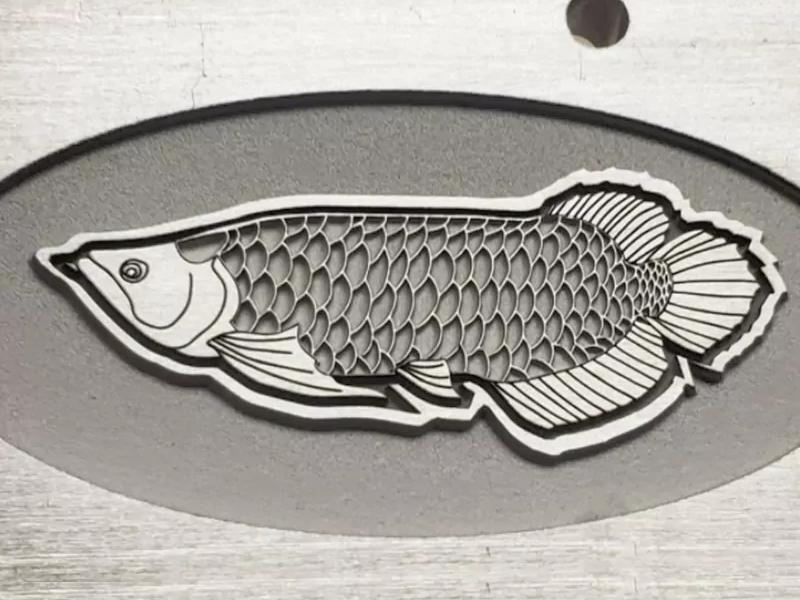
Troubleshooting: What to Do If You Encounter Issues
Even though these desktop fibre lasers are reliable tools, there are times when something may go wrong. Lighter, uneven, and blurry engravings are often not a cause for concern as they can be solved easily by changing the adjustments or checking the equipment.
1. The Marking is Too Light or Faint
Possíveis causas:
- The current power setting is too low.
- The engraving speed is set too high.
- The material being used is not ideal for fibre laser marking
Solução:
- Adjust the settings in the software to increase the laser power.
- To enable the laser to engrave, the speed should be reduced.
2. The Engraving is Uneven or Incomplete
Possíveis causas:
- The focus is incorrectly set.
- The material shifted during engraving.
- The worktable is unbalanced.
Solução:
- Realign the laser focus so that the beam is set correctly.
- Clamp down the material before proceeding.
- Inspect the worktable and confirm that it is level.
3. The Edges Look Burnt or Too Deep
Possíveis causas:
- The power of the laser is set too high.
- The material’s thickness is too low for extensive deep engraving.
Solução:
- Change the settings to a lower power in the software.
- Increase the speed to reduce the chance of thermal damage.
If these solutions are followed, most concerns can be dealt with in an efficient manner.
Preventative Measures to Ensure Long-Term Performance
While a desktop fibre laser serves as a powerful machine, its longevity can be parameterized by frequent upkeep. A few simple tasks can go a long way in preventing breakdowns, improving engraving quality, and extending the lifespan of the laser.
1. Clean the Lens and Work Area Regularly
Obstructions like dust, dirt, or debris on the laser accordingly impact the accuracy of the beam. These markings would appear weak or blurry because of the obstruction, por isso:
- We recommend that you clean the lens with isopropyl alcohol and a soft cloth no less than once a week.
- We also suggest that you clean the work table of the collected dust and debris after every job.
- Always keep the machine covered when not in use to prevent dust.
2. Check the Cooling System
Fibre lasers consume a lot of energy; portanto, they generate heat. If the cooling system does not function, the machine can overheat.
- Ensure that the fans are in working order and that the ventilation is open.
- While engraving, monitor the machine for strange sounds and excessive heat.
- Always ensure that the air vents for the machine are unobstructed.
3. Update Software and Firmware
Software maintenance comes with the provision of updates to improve the already existing software and active modules.
- Always make sure to update the engraving software frequently to ensure no errors arise.
- Always remember to save all your preferences and files before an update.
Routine maintenance of these instructions will assist in ensuring the desktop fibre laser works in great condition for many years to come.
Conclusão
Fibre laser engraving machines can be used to decorate or inscribe differently shaped items made from wood, vidro, metal, plástico, and acrylics. Items made with metal, eletrônicos, automotive parts, ferramentas médicas, and other industrial components, as well as jewelry can all be engraved with great speed and precision using a desktop fibre laser. Unlike older systems, fibre lasers have a long lifespan and require little maintenance while still being able to work on multiple different materials.
Should you need to engrave detailed logos, números de série, códigos de barra, and other designs, a desktop fibre laser is a great choice? It marks the material professionally, permanently, and without any harm done to the material. You can optimize your machine’s performance by following the right setup, troubleshooting, and maintenance procedures.
A desktop fibre laser is helpful to everyone from small business owners to large factory managers as it increases work product quality and efficiency. If looking for a reliable fibre laser engraving machine, our staff is ready to assist you.
Have questions? Ask them, we are here to help! Contact Focus Laser Systems now for expert help in selecting the right desktop fibre laser for your company.
perguntas frequentes (Perguntas frequentes)
This section addresses commonly asked questions concerning desktop fibre lasers and their applications.
1. What materials can a desktop fibre laser engrave?
A desktop fibre laser works best on metals like aluminium, aço inoxidável, latão, cobre, prata, e platina. It can also engrave some plastics like ABS, PBT, and silicon. No entanto, it does not work well on transparent or wooden materials.
2. How long does a fibre laser last?
The lifespan of a fibre laser is over 100,000 horas, owing to its lack of moving components or consumables. As such, it is far more durable than both CO₂ and YAG lasers which have a greater need for maintenance.
3. Is a desktop fibre laser safe to use?
Desktop fibre lasers are indeed safe, no entanto, care must be taken. Always have protective glasses on and make certain that the room is adequately ventilated. It is crucial to shield the laser from uncontrolled surroundings to avoid accidents.
4. Do I need special software to use a fibre laser?
Sim, specialized engraving software such as EzCad or LightBurn is mandatory. These programs enable users to fine-tune power, velocidade, and design parameters to optimize engraving results.
5. How do I choose the right desktop fibre laser for my needs?
It varies based on the material you are using, the depth of the engraving, and the requirements of your business. Do not hesitate to reach out to us, we will help you select the perfect laser.
